
Project story
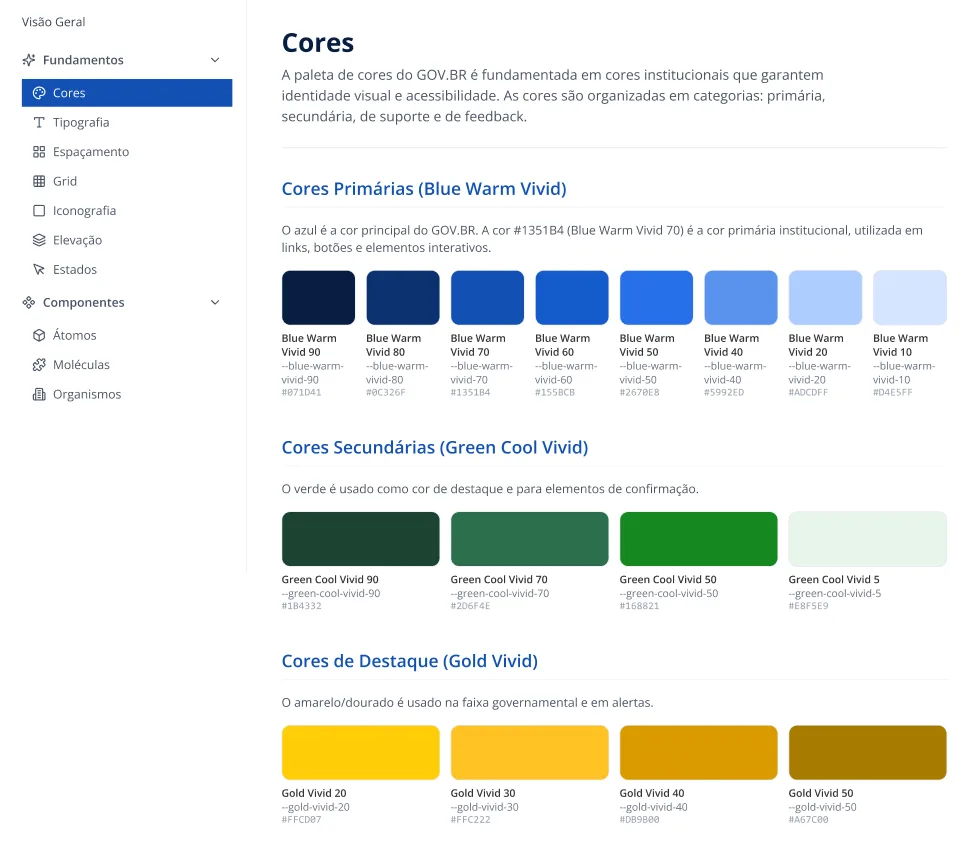
Design System in a government context
Interface scale with governance and consistency across squads.
The scenario and the challenge
The project took place in a government environment full of strict rules. The number of screens was growing rapidly, and each team designed them differently. This created a confusing experience for the end user and a lot of rework for us.
Our bet
We believed that if we built a Design System (a unified library of visual components) with clear and friendly rules, we could stop reinventing the wheel. This would improve screen accessibility and make developers much faster.
How we found the path
- We sat down to listen to the frustrations of technical and product leaders.
- We x-rayed the current screens and saw the amount of duplicated buttons and colors.
- We mapped the flows that generated the most doubts and support complaints.
The built solution
- We created a single visual baseline, standardizing colors, typography, and buttons.
- We built a shared library with practical guides so anyone could use it without fear.
- We created a relaxed bi-weekly ritual to review designs and ensure consistency collaboratively.
The tough choices
- We had to slow down the creation of new features at the beginning to tidy up "the house" (the visual base).
- We chose to fix the most accessed screens first, accepting that some older pages would keep the old look for a while.
The real impact
- We drastically reduced the time to approve and build a new screen.
- We resolved critical accessibility flaws right at the code root, benefiting thousands of users at once.
What I learned
I realized that communication is everything. Aligning expectations with directors and developers on day one reduces resistance and turns everyone into an advocate for the project.